FAQ Matrix Widget

Select a preset style below to preview how this widget looks across different design themes. Each preset includes additional layout and configuration options. For full customization, download the plugin to get started.
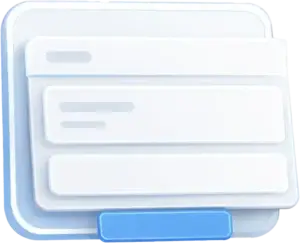
Minimal
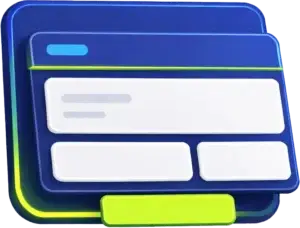
Bold
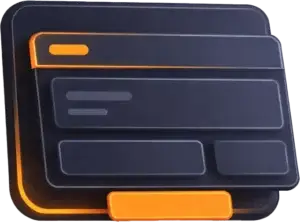
Dark Mode
Pastel

Support Center

Answers, fixes, and quick clarity

Find fast answers to common questions about setup, performance, and account details. Use the tabs to jump to the right category, then expand any question for a clear, simple explanation. If you still need help, we are one message away.

Still need help?

Can't find what you're looking for? Send us a message and we'll point you in the right direction.

Contact Support

Typical response time is within 1 business day.

NxGen Addons Labs is a set of cinematic Elementor widgets designed to help you build scroll-stopping sections faster, without custom code.
No. Everything is built to work inside Elementor, with simple controls and design-ready presets.
Download the plugin ZIP, upload it in WordPress, then activate it. After that, the widgets will appear in your Elementor panel.
Open the widget settings, then choose a preset style first. Your layout and content options will appear below it.
That depends on your license. Your account page will show how many sites you can activate.
These widgets are designed to stay lightweight. Motion uses modern animation best practices for smooth performance.
Yes. It should work with most themes that follow Elementor standards. If something looks off, it is usually a spacing or typography setting.
Yes. The layout adapts for smaller screens, and the interactions are adjusted for touch.
Some themes or plugins can disable motion settings. Also check if reduced motion is enabled on your device.
Yes. If a script or style is missing, clear cache and exclude the plugin assets from aggressive combine settings.
Some releases may include a free starter pack. Pro features and full widget access require a paid plan.
Most major credit and debit cards are supported. Payment options can vary by region.
Yes. You can cancel your plan anytime from your account, and your access remains active until the end of your billing period.
If something is not working as expected, contact support first. We will help troubleshoot quickly and review refund requests case by case.
Yes, agency options may be available. Contact us and tell us how many sites you manage.
Go to the plugin settings, paste your license key, then click Activate. You should see a confirmation message.
Check your purchase email first. If you still cannot find it, contact support and we will help you recover it.
Updates show in your WordPress dashboard like any other plugin. Keep your license active to receive updates.
Yes. Deactivate the old site first, then activate the new one using the same key.
Your license has a site limit. Deactivate a site you are no longer using or upgrade your plan.
Support Center

Answers, fixes, and quick clarity

Find fast answers to common questions about setup, performance, and account details. Use the tabs to jump to the right category, then expand any question for a clear, simple explanation. If you still need help, we are one message away.

Still need help?

Can't find what you're looking for? Send us a message and we'll point you in the right direction.

Contact Support

Typical response time is within 1 business day.

NxGen Addons Labs is a set of cinematic Elementor widgets designed to help you build scroll-stopping sections faster, without custom code.
No. Everything is built to work inside Elementor, with simple controls and design-ready presets.
Download the plugin ZIP, upload it in WordPress, then activate it. After that, the widgets will appear in your Elementor panel.
Open the widget settings, then choose a preset style first. Your layout and content options will appear below it.
That depends on your license. Your account page will show how many sites you can activate.
These widgets are designed to stay lightweight. Motion uses modern animation best practices for smooth performance.
Yes. It should work with most themes that follow Elementor standards. If something looks off, it is usually a spacing or typography setting.
Yes. The layout adapts for smaller screens, and the interactions are adjusted for touch.
Some themes or plugins can disable motion settings. Also check if reduced motion is enabled on your device.
Yes. If a script or style is missing, clear cache and exclude the plugin assets from aggressive combine settings.
Some releases may include a free starter pack. Pro features and full widget access require a paid plan.
Most major credit and debit cards are supported. Payment options can vary by region.
Yes. You can cancel your plan anytime from your account, and your access remains active until the end of your billing period.
If something is not working as expected, contact support first. We will help troubleshoot quickly and review refund requests case by case.
Yes, agency options may be available. Contact us and tell us how many sites you manage.
Go to the plugin settings, paste your license key, then click Activate. You should see a confirmation message.
Check your purchase email first. If you still cannot find it, contact support and we will help you recover it.
Updates show in your WordPress dashboard like any other plugin. Keep your license active to receive updates.
Yes. Deactivate the old site first, then activate the new one using the same key.
Your license has a site limit. Deactivate a site you are no longer using or upgrade your plan.
Support Center

Answers, fixes, and quick clarity

Find fast answers to common questions about setup, performance, and account details. Use the tabs to jump to the right category, then expand any question for a clear, simple explanation. If you still need help, we are one message away.

Still need help?

Can't find what you're looking for? Send us a message and we'll point you in the right direction.

Contact Support

Typical response time is within 1 business day.

NxGen Addons Labs is a set of cinematic Elementor widgets designed to help you build scroll-stopping sections faster, without custom code.
No. Everything is built to work inside Elementor, with simple controls and design-ready presets.
Download the plugin ZIP, upload it in WordPress, then activate it. After that, the widgets will appear in your Elementor panel.
Open the widget settings, then choose a preset style first. Your layout and content options will appear below it.
That depends on your license. Your account page will show how many sites you can activate.
These widgets are designed to stay lightweight. Motion uses modern animation best practices for smooth performance.
Yes. It should work with most themes that follow Elementor standards. If something looks off, it is usually a spacing or typography setting.
Yes. The layout adapts for smaller screens, and the interactions are adjusted for touch.
Some themes or plugins can disable motion settings. Also check if reduced motion is enabled on your device.
Yes. If a script or style is missing, clear cache and exclude the plugin assets from aggressive combine settings.
Some releases may include a free starter pack. Pro features and full widget access require a paid plan.
Most major credit and debit cards are supported. Payment options can vary by region.
Yes. You can cancel your plan anytime from your account, and your access remains active until the end of your billing period.
If something is not working as expected, contact support first. We will help troubleshoot quickly and review refund requests case by case.
Yes, agency options may be available. Contact us and tell us how many sites you manage.
Go to the plugin settings, paste your license key, then click Activate. You should see a confirmation message.
Check your purchase email first. If you still cannot find it, contact support and we will help you recover it.
Updates show in your WordPress dashboard like any other plugin. Keep your license active to receive updates.
Yes. Deactivate the old site first, then activate the new one using the same key.
Your license has a site limit. Deactivate a site you are no longer using or upgrade your plan.
Support Center

Answers, fixes, and quick clarity

Find fast answers to common questions about setup, performance, and account details. Use the tabs to jump to the right category, then expand any question for a clear, simple explanation. If you still need help, we are one message away.

Still need help?

Can't find what you're looking for? Send us a message and we'll point you in the right direction.

Contact Support

Typical response time is within 1 business day.

NxGen Addons Labs is a set of cinematic Elementor widgets designed to help you build scroll-stopping sections faster, without custom code.
No. Everything is built to work inside Elementor, with simple controls and design-ready presets.
Download the plugin ZIP, upload it in WordPress, then activate it. After that, the widgets will appear in your Elementor panel.
Open the widget settings, then choose a preset style first. Your layout and content options will appear below it.
That depends on your license. Your account page will show how many sites you can activate.
These widgets are designed to stay lightweight. Motion uses modern animation best practices for smooth performance.
Yes. It should work with most themes that follow Elementor standards. If something looks off, it is usually a spacing or typography setting.
Yes. The layout adapts for smaller screens, and the interactions are adjusted for touch.
Some themes or plugins can disable motion settings. Also check if reduced motion is enabled on your device.
Yes. If a script or style is missing, clear cache and exclude the plugin assets from aggressive combine settings.
Some releases may include a free starter pack. Pro features and full widget access require a paid plan.
Most major credit and debit cards are supported. Payment options can vary by region.
Yes. You can cancel your plan anytime from your account, and your access remains active until the end of your billing period.
If something is not working as expected, contact support first. We will help troubleshoot quickly and review refund requests case by case.
Yes, agency options may be available. Contact us and tell us how many sites you manage.
Go to the plugin settings, paste your license key, then click Activate. You should see a confirmation message.
Check your purchase email first. If you still cannot find it, contact support and we will help you recover it.
Updates show in your WordPress dashboard like any other plugin. Keep your license active to receive updates.
Yes. Deactivate the old site first, then activate the new one using the same key.
Your license has a site limit. Deactivate a site you are no longer using or upgrade your plan.

Start Your ✶ Free 14-Day Trial ✶